
Blog

Key takeaways:
Every guide to this subject is written by someone selling a platform, and it shows. Vendor pages list generic drawbacks that never quite attach to the vendor's own product, and agency pages warn that you will outgrow the tools, which happens to be what agencies sell.
We build custom software, so we have the second bias and would rather name it than pretend otherwise. What follows is the arithmetic and the operational detail that neither side publishes, because those are the parts that actually decide whether this works for you.
This is not a platform roundup. It covers the question to ask before you pick a category at all, what low code no code app development costs once real headcount uses it, who ends up owning the result, how you test something nobody wrote by hand, and the two use cases where the answer is clearest in each direction.
The standard definition splits them by who does the building: low code for developers who want to move faster, no code for business users with no engineering background. That is accurate and not very useful, because it describes the marketing rather than the consequence.
The distinction that matters is what happens at the edge of what the tool can express. Low code platforms let you drop into real code when the visual layer runs out, which means a hard requirement becomes a hard afternoon. No code platforms do not, so the same requirement becomes a workaround, a second tool, or a no. That asymmetry is what the low code vs no code development choice really turns on.
The two categories only diverge once a requirement outruns the visual layer.
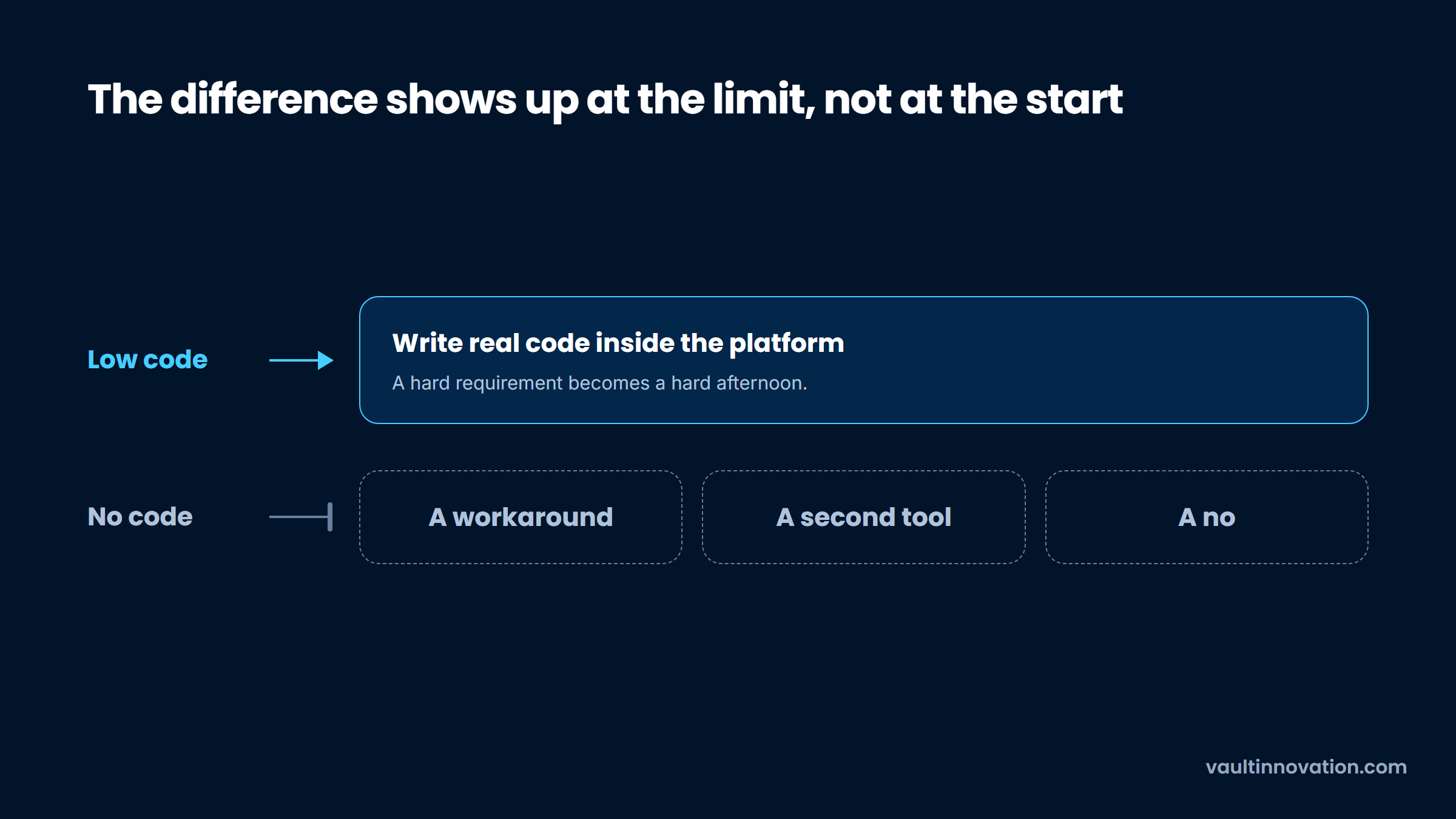
That single difference drives everything downstream: who can staff the work, what happens when a requirement arrives that nobody anticipated, and who you call at two in the morning.
| No code | Low code | Custom code | |
|---|---|---|---|
| Who builds it | Business users | Developers, sometimes with business users | Developers |
| What happens at the limit | Workaround, or you stop | Write code inside the platform | Change the code |
| What you own at the end | An account | An account plus some code | The whole thing |
| Cost driver | Seats or usage | Seats, usually plus a platform fee | Salaries or an engagement |
| Who is accountable for security | Ambiguous, in practice you | You, with vendor support | You |
| Realistic lifespan | 2 to 4 years | 4 to 8 years | As long as you maintain it |
The bottom row is the one worth arguing about, and most comparisons ignore it. Nothing here is permanent, and a tool that carries a workflow for three years and is then replaced has usually done its job.
That reframes the whole low code vs no code question. It is not which category is better, but how long you need the thing to last and who has to keep it alive.
Most teams begin by choosing between low code no code platforms and only later discover what they actually needed. Reverse it. The category falls out of the answers, and it takes about ten minutes.
Two of those questions do most of the work. If the users are paying customers rather than staff, your tolerance for platform limits drops sharply, because their experience is now your product. And if a two-hour outage means customer phone calls, you have just accepted a dependency on a vendor's status page.
The honest pattern from our own work is that internal tools survive on these platforms for years, while customer-facing products tend to migrate. That is not a knock on the tools. It reflects who absorbs the consequences when something is not quite right.
Every vendor publishes a per-user price and very few buyers multiply it out, so the numbers below are simply the published rate times the headcount, using prices read from each vendor's own page in September 2026.
| Platform (tier) | Per user / month | 50 users | 100 users | 500 users |
|---|---|---|---|---|
| Budibase (end users) | $5 | $250 | $500 | $2,500 |
| Retool (internal, Team) | $5 | $250 | $500 | $2,500 |
| Zoho Creator (Standard) | $8 | $400 | $800 | $4,000 |
| Retool (internal, Business) | $15 | $750 | $1,500 | $7,500 |
| Airtable (Team) | $20 | $1,000 | $2,000 | $10,000 |
| Microsoft Power Apps (Premium) | $20 | $1,000 | $2,000 | $10,000 |
| Quickbase (Team) | $35 | $1,750 | $3,500 | $17,500 |
| Airtable (Business) | $45 | $2,250 | $4,500 | $22,500 |
| Salesforce Platform (Plus) | $100 | $5,000 | $10,000 | $50,000 |
| Caspio | flat fee | $300 to $600 | $300 to $600 | $300 to $600 |
Two rows need an asterisk. The Budibase and Retool figures are end-user seats only, and the people who build the applications are priced separately: Budibase charges $50 per creator per month beyond the one it includes, and Retool charges $10 per builder on Team and $50 on Business. Five builders on Retool Business add $250 a month before a single end user is counted.
At 100 users the spread runs from $500 a month to $10,000 for low code no code tools a buyer would shortlist together. Caspio sits outside that range and is the outlier worth noticing, because it charges a flat platform fee with unlimited users, which means it gets cheaper per person exactly where everything else gets more expensive.
That 20x spread is the single most useful fact about low code no code app development pricing, and no vendor comparison page will show it to you, because every one of them lists a monthly rate without multiplying it by your headcount.
Two figures do not appear above because the vendors do not publish them. Appian and OutSystems both quote privately, and Quickbase's own pricing page carries a footnote that the per-user price excludes a platform minimum it does not state. Treat an unpublished price as a signal about the sales process you are entering, not as a scandal.
The table shows platform fees only. A fair comparison sets them beside what a development team's own toolchain costs to license, which is a real number that build-versus-buy estimates routinely leave out on one side of the ledger.
The per-user price you get quoted is rarely the one you end up paying, and the reason is boring: the controls that let you pass a security review live on a more expensive tier.
Retool's internal-user price goes from $5 to $15 a month when you move from Team to Business, which is where audit logs and its richer permission controls sit. That is triple, for features you did not want so much as need. Custom SAML or OpenID single sign-on is a further step up again, onto Enterprise, which Retool quotes rather than publishes.
Airtable splits the same pair across two tiers in the opposite order. SAML single sign-on arrives on Business at $45 a seat, more than double the $20 Team price, while audit logs sit on Enterprise Scale, which carries no published price at all.
That is the detail worth carrying out of this section: on both platforms, having SSO and audit logs at the same time means leaving the published price list altogether. Microsoft prices its data separately on top, since Power Apps Premium includes only a 250 MB Dataverse database entitlement and additional capacity runs $40 per gigabyte per month.
None of this is hidden, and none of it is unreasonable. It is easy to miss at the moment a team is deciding, though, which is why the second-year invoice is such a common surprise. Build the governance tier into your first estimate rather than the tier you would pick if nobody ever asked about security, since somebody eventually asks.
Gartner predicted that by 2026, developers outside formal IT departments would make up at least 80% of the user base for low code tools, up from 60% in 2021. That forecast was published in December 2022, the year it named is this one, and it is worth asking whether your organization has caught up with it.
Most have not, in one specific way. Someone in operations builds something genuinely useful, the team comes to depend on it, and there is no answer to who reviews it, who can change it, or what happens when that person moves on.
This is where accountability gets slippery. CISA's Secure by Design initiative argues that the security burden has been placed disproportionately on consumers and small organizations rather than on the producers of technology. On a no code platform you are, awkwardly, both: the vendor produces the runtime, and you produce the application, and the line between those two is exactly where responsibility goes missing.
Three things fix this cheaply, and all of them are administrative rather than technical:
None of that needs a center of excellence or a formal program. It needs someone to own the register, which in smaller companies is usually the same conversation as hiring a fractional CTO.
Testing gets remarkably little attention in this category. That is a strange gap, because the thing that makes these platforms fast is exactly the thing that makes them hard to verify: there is no code to review and often no environment to test in.
The problem is concrete. A traditional application has a test suite, a staging environment and a diff you can read before anything ships. A visual build frequently has none of those, and on the cheaper tiers you may be editing the live application while people are using it.
Three things a normal build ships with, and none of them are here.
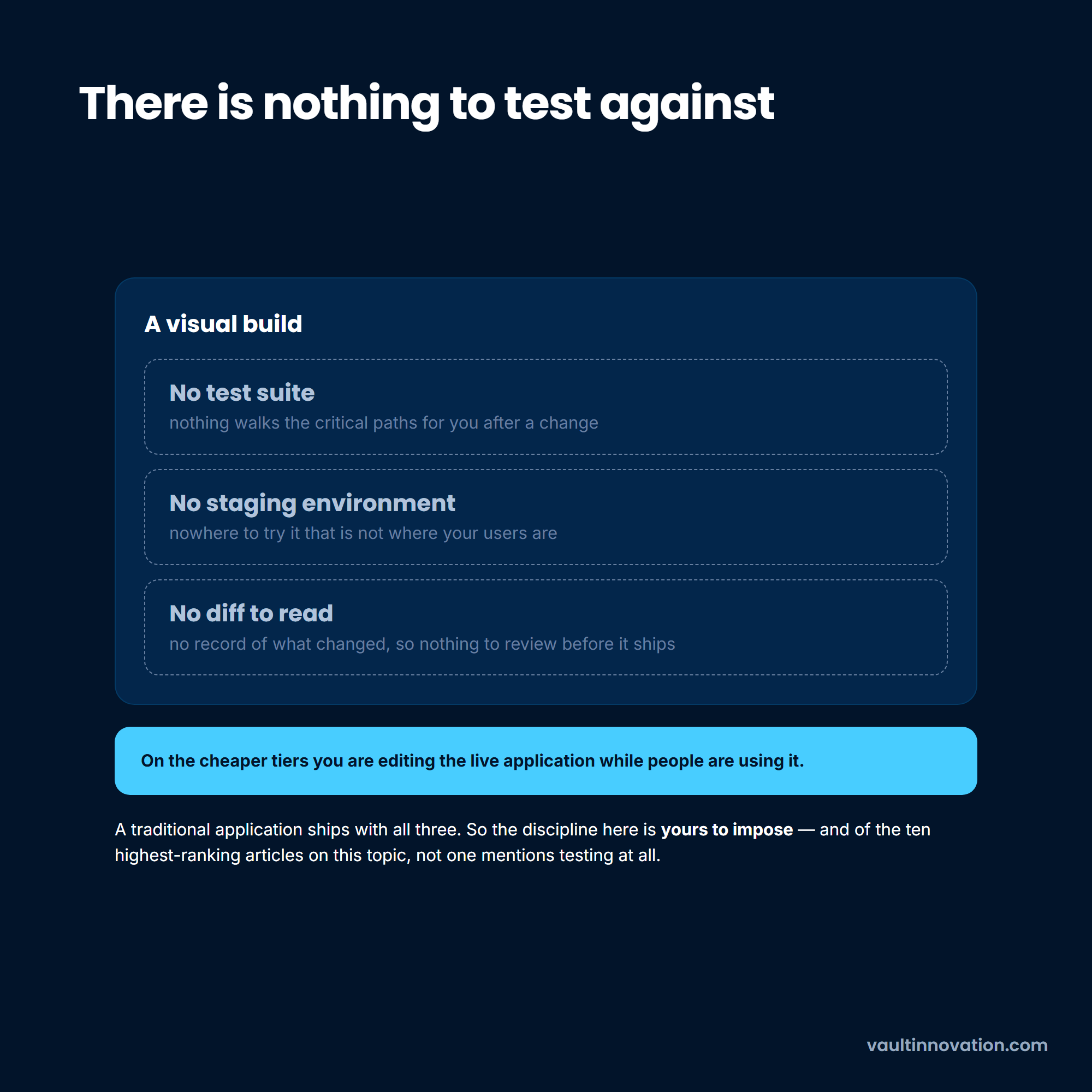
So no code low code testing is mostly a discipline rather than a toolchain, and the discipline has to be imposed by you, because low code no code platforms rarely enforce it by default.
Five habits cover most of the exposure, and none of them require a testing tool the platform does not have.
Step four catches the most dangerous class of error on these platforms. Permission rules are usually configured in a settings panel rather than expressed in code, and they behave differently for the person who set them up than for everyone else. Logging in as an ordinary user is the only way to see what an ordinary user can reach.
Step five matters because the thing that breaks a visual build is rarely a bug in the ordinary sense. It is a change to the data model that quietly invalidates a workflow somewhere else, with nothing to warn you.
Applications that survive their first year need the same attention as any other software, which is the case we make for treating work that continues after launch as normal rather than exceptional.
If you want the clearest example of these tools earning their keep, it is not applications at all. It is the small automated processes that sit between systems and used to be somebody's afternoon.
Approval routing, onboarding checklists, form intake that files itself, alerts when a number crosses a threshold, moving records between two systems that will never integrate properly.
Small automations have a shape that suits the tools exactly: the logic is simple, the data volume is small, the users are internal, and the cost of a brief failure is somebody doing it by hand for a day. That is why low code no code workflow automation has a far better success record than application building on the same platforms.
Automations are also the cases where a rewrite later costs almost nothing, because the process ends up documented by the automation itself. If a platform disappears, you rebuild a week's work rather than a product.
Our own view, having built plenty of both, is that companies underuse these tools here and overuse them for products. The automation case is where optimizing what you already have genuinely beats building something new.
Mobile is where these platforms struggle most, and the reasons are structural rather than a matter of platform quality.
A no code builder generally produces either a web application wrapped in a native shell or an app generated from a visual definition. Both work. Both also sit downstream of two companies whose review processes you do not control, and app stores are unsentimental about apps that look like a wrapped website with thin functionality.
The second problem is that mobile expectations are unforgiving in ways internal tools are not. Offline behavior, push notifications, camera and location access, background sync and the specific feel of native scrolling are all things users notice immediately and all things that are harder to get right through an abstraction layer.
The third is release cadence. Every update goes through review, so the fast iteration that justifies the tool in the first place is throttled by a process measured in days.
All three reasons are structural, which is why better tooling does not fix them.
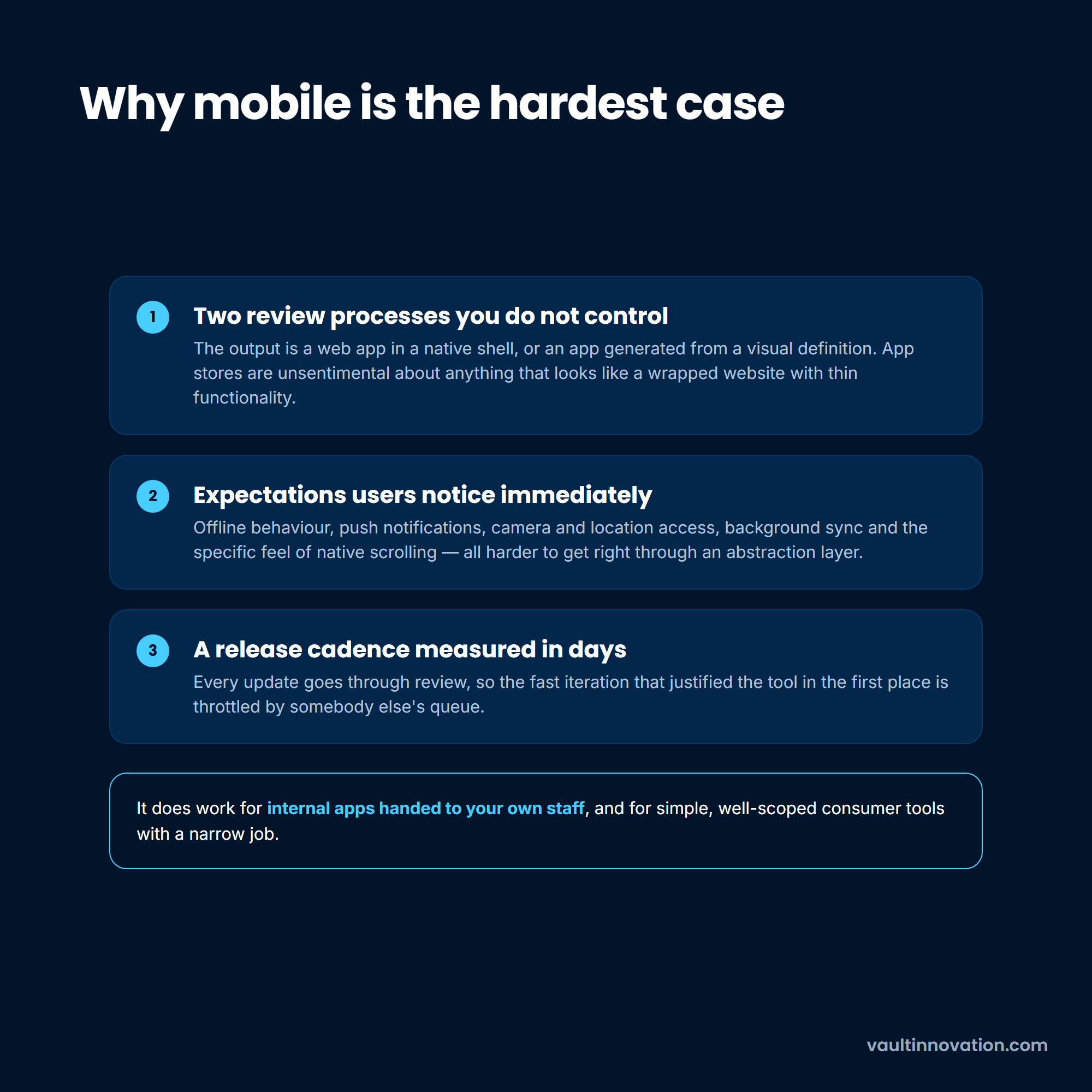
Where low code no code mobile app development does work well is internal apps distributed to your own staff, and simple, well-scoped consumer tools with a narrow job. For a product whose quality is the business, the calculus changes, which is why the mobile work in our portfolio is built natively rather than generated.
A third option has arrived since most of the writing on this subject was published. Prompt-driven builders and coding agents produce a working application from a description, and they sit awkwardly across the categories above: the effort profile looks like no code, while the output is ordinary source code you own.
That matters for the arithmetic in this article more than it matters for any feature comparison. A generated codebase carries no per-seat platform fee, no vendor runtime, no metered workload and no export problem, so the three columns in the table above do not apply to it at all.
A generated codebase inherits the other side of the ledger instead. Somebody has to host it, patch its dependencies, and answer for it at two in the morning, and those are precisely the things the platform fee was buying. The question is not whether an agent can produce the application. It is whether you have anyone to own what it produces.
We treat a prompt-generated codebase the way we treat any system we inherit: read it before depending on it, and price the maintenance rather than assuming it away. That is the same test this guide applies to a visual build, which is why the category label matters less than the ownership question sitting behind it.
Platform fees are the visible cost and usually not the largest one. A fair comparison needs the whole picture over a realistic life, which for this class of software is about three years.
Add the platform fee at the tier you will actually be on, including the governance tier. Add the internal time to build it, which is real even when the builder is not a developer. Add the maintenance nobody plans for, because a business-critical application in a visual builder still needs someone attending to it. Then add the thing most estimates omit entirely: what it costs to leave.
That last figure is not small, and it is worse than people expect, because moving between these platforms is not really a migration.
In one r/nocode discussion, a development shop moving clients from Mendix to a self-hosted open-source platform said plainly that they rebuild the application from scratch every time, even though both ends of the move are low code. That is anecdotal, and it matches what we see: the logic lives in a proprietary format, so it does not port. Handing that work over is closer to moving a project between teams than to an export.
Run that arithmetic and the answer flips more often than you would think. A $500-a-month tool that saves three months of build time is an easy yes. The same tool at 300 seats, on the compliance tier, with a rebuild at the end of it, is a different proposition and deserves the comparison it rarely gets.
Three years is also the horizon over which low code no code app development stops looking like a tooling choice and starts looking like an architecture decision, which is what it always was.
Custom development wins in fewer situations than we would like to claim, and the situations are specific.
Custom wins when the software is the product you sell, because platform limits become customer-visible limits and your differentiation is exactly the part a visual builder makes hardest. It wins at genuine data volume, where per-record and per-row ceilings turn into architecture problems. And it wins when a process is so specific to how you operate that expressing it inside somebody else's abstractions costs more than writing it.
The data-volume case is easy to underestimate until you meet it. Building a data mapping system for Nationwide Transfer meant handling 28 million records across more than 4,000 files in inconsistent formats, converting files and parallelizing the import specifically so large ones would not exhaust memory. No visual builder reaches that problem, and the gap is not close.
What we would not claim is that custom is the default. Most internal software should not be custom, and a team that writes its own approval workflow from scratch has usually made an expensive mistake. Reserve the engineering for the part of the product that is genuinely yours, and buy the rest.
Asking what is no code low code usually gets you a definition by audience. The more useful version is that no code lets someone build working software through a visual interface without writing any code, while low code does the same but lets a developer reach into real code when the visual layer cannot express something. Both sit on top of a vendor's platform, which hosts the result and defines what is possible.
The practical difference shows up at the limit rather than at the start. With low code an awkward requirement is a piece of code; with no code it is a workaround or a no.
The platforms themselves are generally built to a reasonable standard, and the serious ones publish compliance certifications. The risk usually sits in how the applications get configured rather than in the platform, particularly around permissions and what data an application is allowed to reach.
That risk rises when nobody reviews what gets built. An application assembled in an afternoon by someone with no security training, touching customer data, with no second pair of eyes, is a genuine exposure regardless of how good the underlying platform is.
Between roughly $500 and $10,000 a month on the tools compared above, based on published per-user rates in September 2026. The spread comes down to which tier carries the controls you need and whether pricing is per seat at all.
Budget the tier that carries the controls you need rather than the entry tier, and check whether SSO and audit logs are both on a published plan, because on Retool and on Airtable one of the two is not.
You can, and plenty of companies have. The question is whether you want your product's ceiling set by a vendor's roadmap and your uptime set by their status page.
For an early product where speed of learning matters more than anything, that trade is often correct. Once customers depend on it and the differentiation is in the software itself, the trade gets steadily worse.
The usual triggers are cost that has grown faster than the value, a requirement the platform genuinely cannot express, or performance that degrades as data accumulates. Any one of those is a reason to reassess rather than to act immediately.
Move when two of them arrive together, and plan for a rebuild rather than a transfer, since the logic does not port between platforms.
The expensive version of this decision is not picking the wrong tool. It is picking one without running the three-year arithmetic, then discovering the number when switching costs the most.
Contact us if you want someone who builds both kinds of software to look at your specific case and say which one it is.


